
Why Your Tracking Method Matters
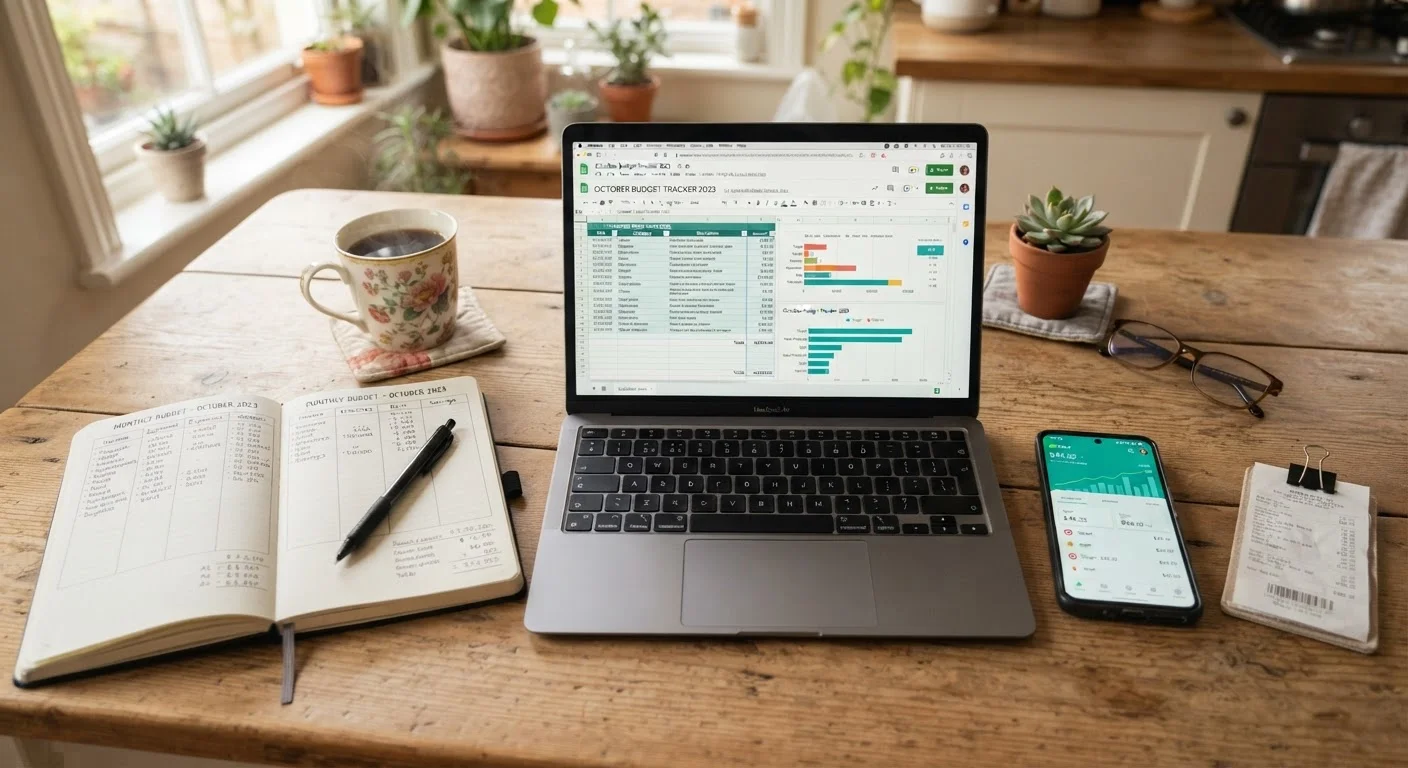
Overspending rarely happens because families don't care about money — it happens because spending goes untracked. Choosing a budgeting method you'll actually stick with is one of the most practical steps you can take toward reducing household financial stress. The good news: there's no single correct answer. Paper, spreadsheets, and apps each have real strengths depending on how your household operates.
If you're still deciding which overall budgeting approach to follow — such as zero-based or percentage-based methods — see our comparison in Zero-Based Budgeting vs. the 50/30/20 Rule. This article focuses specifically on the format you use to record and review your spending.
| Paper | Spreadsheet | Budgeting App | |
|---|---|---|---|
| Cost | Free | Free (basic tools available) | Free to paid subscription |
| Setup time | Under 15 minutes | 1–2 hours for custom build | 15–30 minutes to connect accounts |
| Automation | None — fully manual | Formulas only, data manual | Automatic transaction syncing |
| Privacy risk | None | None | Data shared with third party |
| Customization | Unlimited but manual | Highly customizable | Limited to app's categories |
| Best for | Beginners, analog learners | Detail-oriented households | Busy, tech-comfortable families |
Paper Budgeting: Simple, Tangible, and Free
Writing a budget by hand means grabbing a notebook, listing your income at the top, and subtracting expected expenses category by category. That's it. There's no software to learn, no subscription fee, and no account to create.
Research in behavioral science suggests that physically writing information improves retention and engagement compared to typing — a meaningful advantage when you're trying to build new money habits. Many people also find that the friction of writing every transaction makes them more deliberate about spending.
The drawbacks are equally real. Paper doesn't add up columns automatically, doesn't sync with your bank account, and is easily lost or forgotten. If you miss a few days of recording, catching up is tedious. Paper works best as a starting point or for households that prefer analog routines.
Try a One-Week Paper Trial First
Even if you plan to use an app or spreadsheet long-term, spending one week tracking purchases by hand can be surprisingly revealing. Writing every coffee, grocery run, and subscription forces you to confront spending patterns in a way that automated tools can obscure. Use that week's data to set your initial category amounts before moving to your preferred digital format.
Spreadsheets: Flexible and Powerful, With a Learning Curve
A spreadsheet — whether in a free tool like Google Sheets or a locally installed program — gives you a blank canvas. You build your own categories, write your own formulas, and design a layout that matches exactly how your household spends money. Once set up, a spreadsheet can auto-calculate totals, flag overspending in a category, and produce simple charts showing month-over-month trends.
The time cost is the main barrier. Building a useful spreadsheet from scratch takes one to two hours, and keeping it accurate requires manual data entry after every transaction or a weekly reconciliation session. If spreadsheet formulas feel intimidating, free templates are widely available online and require no formula knowledge to use.
Spreadsheets are a strong middle ground for households that want more structure than paper but more privacy and control than an app. For a practical walkthrough of putting a monthly plan together, see Setting Up a Monthly Spending Plan in an Afternoon.
Budgeting Apps: Automated but Not Without Trade-offs
Budgeting apps connect directly to your bank and credit card accounts, pulling in transactions automatically and categorizing them — often within seconds of a purchase. For busy households, that automation can be the difference between a budget that gets checked daily and one that gets ignored.
Most apps also provide spending alerts, visual dashboards, and goal-tracking features that are difficult to replicate manually. Some are free with ads; others charge a monthly or annual subscription fee.
The primary concern with apps is data privacy. Linking your financial accounts to a third-party platform means sharing sensitive data. Before using any budgeting app, review its privacy policy, check whether it sells or shares data, and confirm it uses bank-level encryption. Use only apps from established, reputable providers and enable two-factor authentication.
Review App Permissions Before You Connect
Some budgeting apps request read-only access to your accounts; others may seek broader permissions. Always read the terms of service before linking any financial account, and check whether the app sells anonymized spending data to third parties. If you're uncomfortable with any aspect of the data policy, a spreadsheet offers the same organizational benefits with no data-sharing requirement.
If you're curious whether the older cash-envelope approach might complement an app-based system, see Envelope Budgeting in a Digital Age for a detailed comparison.
How to Choose — and What to Do Next
Start by asking two honest questions: How much time will I realistically spend on this each week? And how comfortable am I sharing my financial data digitally? Your answers will point you toward the right method more reliably than any feature list.
- Choose paper if you're starting from scratch, prefer tactile habits, or want zero cost and zero tech.
- Choose a spreadsheet if you want to customize categories, don't want to share bank credentials, and can spare an hour upfront to set things up.
- Choose an app if automation is essential to consistency and you're comfortable with the privacy trade-off.
Don't worry about picking perfectly. Most families refine their method over the first few months. The Monthly Budget Audit checklist can help you review what's working at the end of each month regardless of which format you choose. More budgeting strategies are also available in the Home Budgeting hub.
This article is for general informational purposes only and does not constitute personalized financial advice. Consult a licensed financial professional for guidance specific to your situation.